Technical assurance
Microsoft Entra assurance: test the access path, not the policy name
An identity control is effective only when the intended user, device and application journey encounters it. Assurance needs to test those journeys explicitly.
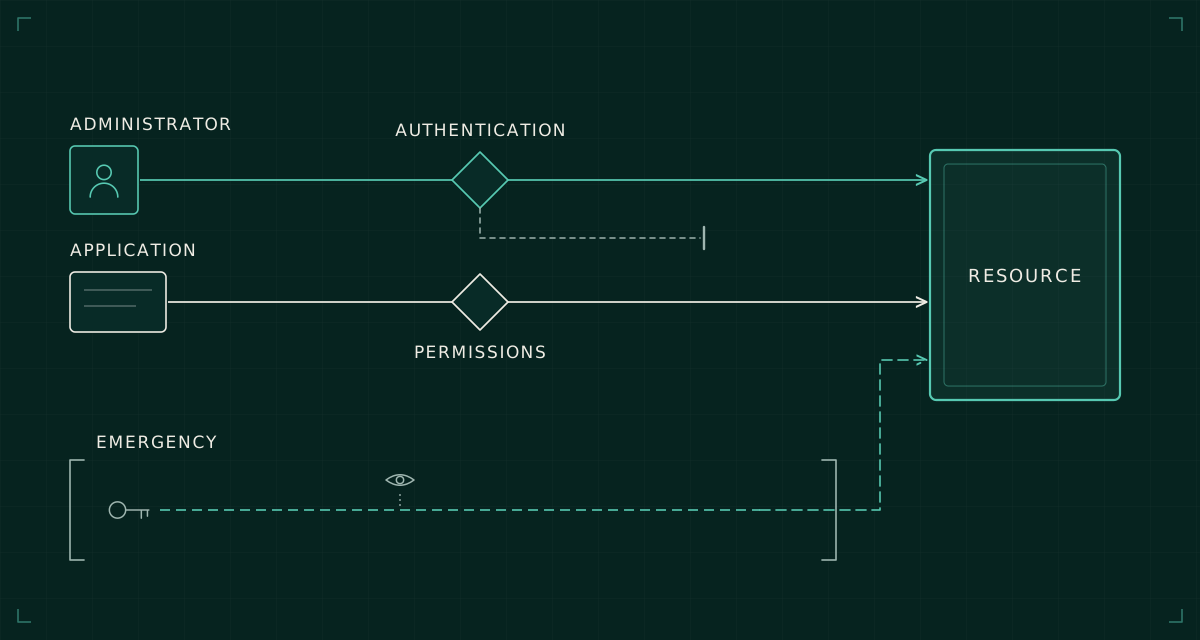
A policy called “Require strong MFA for administrators” expresses an intention. It does not establish which administrators encounter the policy, what methods satisfy it or whether an alternative route reaches the same resource with weaker assurance.
That distinction matters when assessing Microsoft Entra. A configuration export can show that sensible controls exist while leaving the effective access behaviour uncertain. The assessment needs to connect policy, identity, authentication method, device, resource and session.
I would organise that work around access paths. An access path is a specific journey to a resource, including the conditions under which the request is evaluated. It turns a broad claim such as “administrators are protected” into something that can be tested and evidenced.
Start with the resource and the actor
Choose a consequential resource: tenant administration, a sensitive SharePoint site or an application with operational authority. Enumerate the actors who can reach it, including direct role assignments, group-derived access, guests and application identities where relevant.
Then identify the entry points. Interactive browser access, a desktop client, an administrative command-line tool and an application using its own credentials are not interchangeable. A successful test against one route should not be used to close the others.
For a human administrator, record the account, role, device state, client, authentication method and resource. For an application identity, record credential type, permissions, owner and the process using it. Keep these as separate assurance cases because controls intended for user sign-ins do not automatically govern workload identity access in the same way.
A small scenario matrix can make the scope concrete:
| Actor and path | Question to establish |
|---|---|
| Administrator on an approved device | Does the required authentication strength govern resource access? |
| User outside the intended group | Is access denied at the resource boundary? |
| Application using its own credential | Which permissions and lifecycle controls govern its authority? |
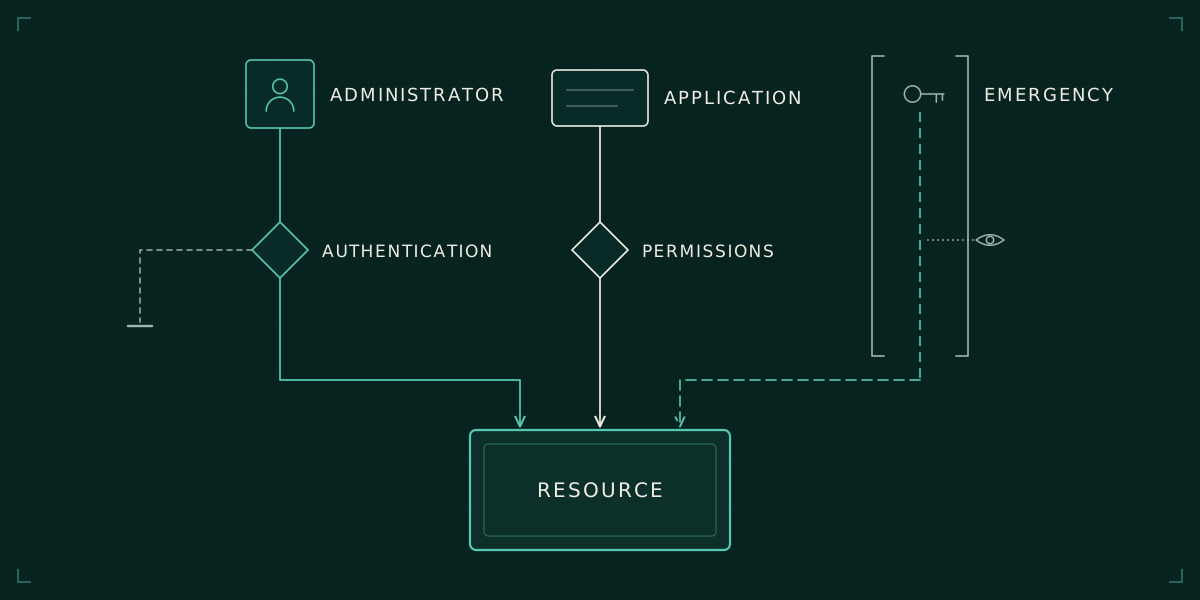
| Emergency administrator | Does the recovery path avoid the dependency assumed to have failed? |
This creates a manageable scope. The aim is not to test every possible event. It is to cover the routes that carry meaningful authority and to state where the evidence remains incomplete.
Registration is different from enforcement
An account having an MFA method registered does not prove that the method was required for the access under review. Nor does a satisfied MFA claim by itself tell you that the method meets the assurance level appropriate to the resource.
Microsoft Entra authentication strengths allow Conditional Access to specify permitted combinations of authentication methods. A phishing-resistant requirement is more specific than a general MFA requirement. The practical assessment should establish which strength is required and whether the user's available methods and sign-in surface can satisfy it.
Test method registration and recovery as part of that journey. A strong normal sign-in can be undermined operationally if the process for replacing a lost credential relies on weak identity checks. That does not mean every recovery process needs the same technical control. It means the organisation should understand who can authorise recovery and what evidence they require.
For administrators, include initial enrolment, replacement of a credential and use from the designated administrative device. These transitions are where a policy's intended protection meets the service desk's real procedures.
Read policy results as an explanation
A sign-in result should help explain why access was granted or denied. Record which policies applied, which did not apply and the reason. A policy exclusion is an access design decision even when its description calls it temporary.
Group membership, resource selection and client conditions can all make the effective scope differ from the policy's name. An assessment should therefore compare an expected decision against the observed decision for each chosen scenario. A surprising success deserves attention just as much as a surprising failure.
Report-only mode is useful for evaluating most proposed Conditional Access policies against sign-in activity without enforcing them. It has limitations, including unsupported user-action scenarios. It should be combined with appropriate pilot testing; it is not proof that every future path will behave as expected.
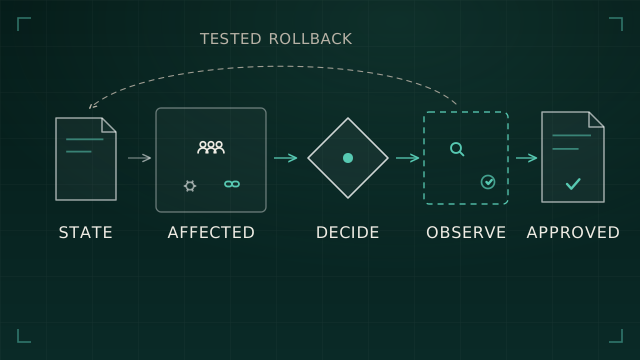
The existing piece on evidence before changing Microsoft 365 controls covers the change process. The additional assurance question here is whether the effective control meets the intended requirement across the selected access paths.
Give privilege its own lifecycle
Privilege should be assessed before, during and after its use. Who can become an administrator? What checks occur at activation? What can they do once active? What evidence remains when the session and role assignment end?
Where privileged access management is available and appropriate, examine the configuration rather than assume that an eligible role is safer by definition. Approval requirements, activation duration, authentication conditions and the availability of approvers affect both security and operability.
Also look for authority outside the obvious directory roles. Application permissions, ownership of sensitive groups and the ability to alter automation can confer significant practical control. A list of Global Administrators is one part of the picture, not the whole privileged estate.
Use an assurance record that captures the route to privilege and the resulting actions. That helps distinguish a configuration defect from a support process that repeatedly bypasses a well-designed control.
Recovery must survive the failure being planned for
Emergency access is an architectural dependency question. If the emergency route requires the same federation service, device process or approval chain that has failed, it may not be available when needed.
Microsoft's emergency access guidance recommends redundant cloud-only emergency accounts, phishing-resistant authentication and monitoring, with exclusions from policies that could prevent emergency sign-in. Exclusion is not a reason to leave those accounts unprotected or unobserved.
Test the documented emergency route regularly using the authorised procedure. Establish who can obtain the necessary credentials or devices, where activity alerts go and how use is reviewed. A normal successful login is only one part of the exercise; the dependency that prompted the emergency should be considered too.
End with a bounded assurance statement
The useful output is specific: these identities, through these clients and device conditions, reached or were denied these resources under these controls. Record the evidence date, observed result, outstanding exceptions and the owner of each unresolved question.
That statement is less dramatic than declaring the tenant secure. It is also more useful. It tells the next engineer what was actually established, which changes might invalidate it and where further work belongs. Identity assurance improves when broad intentions become testable access behaviour.