Information estates
Most data-sprawl projects start in the wrong place
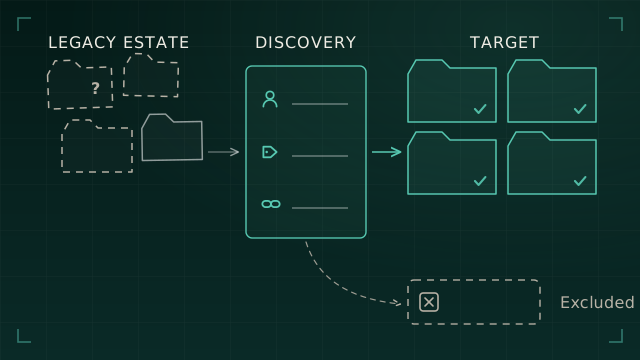
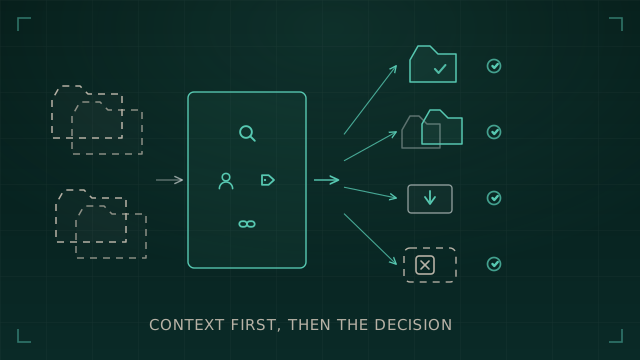
Data-sprawl work often begins with a migration tool, a storage report, or a deletion target. The real first task is to connect the information, identities, ownership, access, retention, dependencies, and unknowns that make any later decision defensible.
Data-sprawl projects often begin with an answer already chosen.
A destination has been selected. A migration tool has been procured. A storage-reduction target has been set. Somebody has produced a duplicate report and turned it into a queue of apparent quick wins.
The programme can look active while its most important questions remain unanswered: what information exists, why is it still there, who owns it, who can reach it, and what would happen if it moved or disappeared?
The project has started with movement
Migration tooling can move content. Storage reports can show volume. Duplicate analysis can identify matching files. None of those outputs explains the information estate on its own.
The questions that shape a defensible decision sit one level higher:
- Which locations support current business processes?
- Which identities, groups, guests, and sharing methods provide access?
- Who owns the information, rather than only the system that contains it?
- Which retention, hold, contractual, or operational constraints apply?
- What depends on the current location, path, mailbox, site, or account?
- Which conclusions come from current evidence, and which still need confirmation?
Microsoft places assessment and remediation before migration in its own file-share migration guidance. What an organisation discovers can change the target design, source-to-target mapping, timing, and the amount of content that should move.
The estate is connected, even when the reports are not
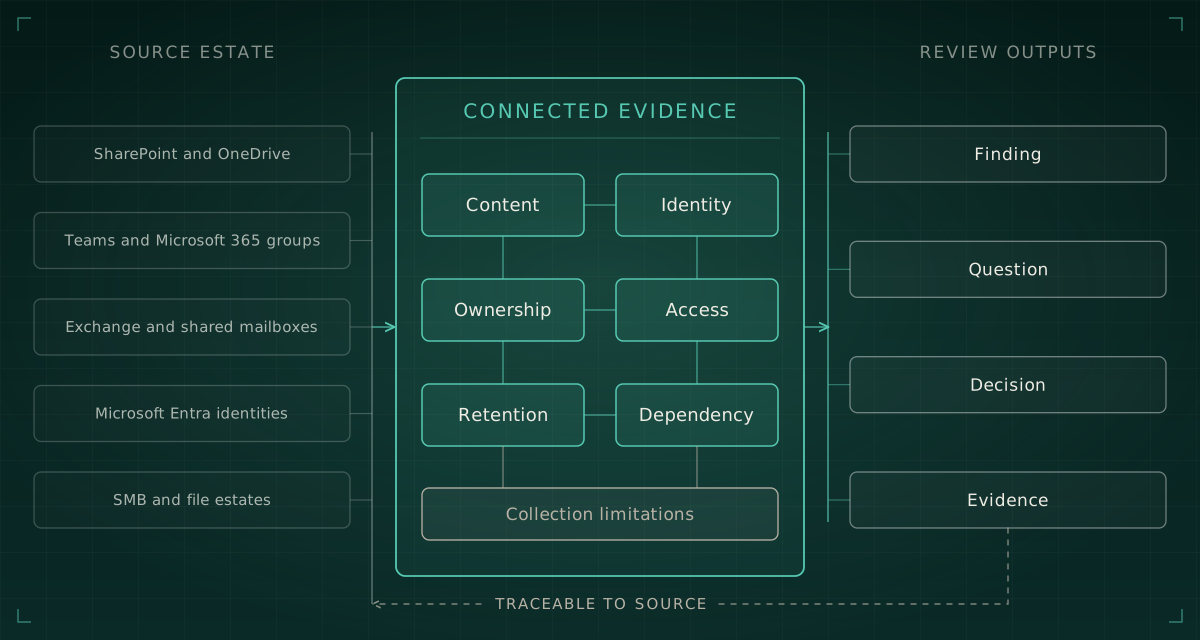
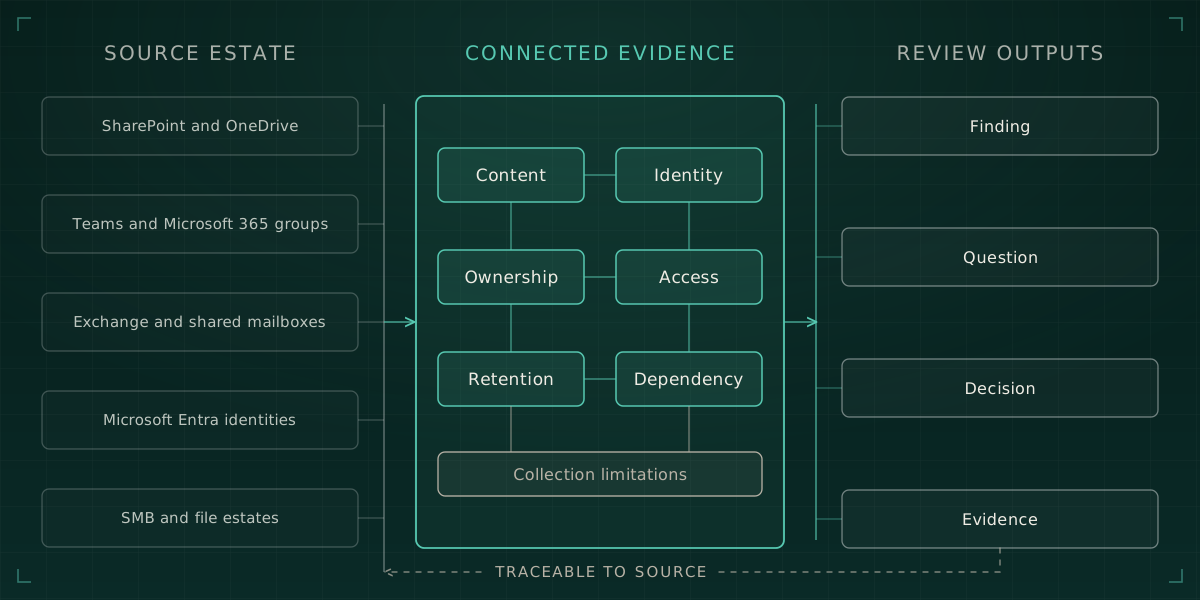
Most organisations can produce several inventories. They may have a list of SharePoint sites, a Teams export, a mailbox report, OneDrive usage figures, group membership, and file-server storage data.
The problem is not always the absence of reports. It is the loss of the relationships between them.
Microsoft 365 illustrates the point clearly:
- A Team connects to a Microsoft 365 group and one or more SharePoint sites.
- Standard-channel files sit in the parent SharePoint site, while private and shared channels use separate SharePoint sites.
- Files shared through a Teams chat sit in the sharer's OneDrive.
- Compliance copies of Teams chat and channel messages are stored in Exchange mailboxes for retention and eDiscovery.
- Access can come through group membership, direct permissions, sharing links, guest relationships, or a combination of them.
A business process that appears to live in Teams may therefore depend on Microsoft Entra identities, a Microsoft 365 group, several SharePoint sites, one or more OneDrive accounts, and Exchange data. A separate report from each service can describe the parts while hiding the operating whole.
Traditional file estates add another layer. A folder may sit behind an SMB share, inherit NTFS permissions, contain explicit exceptions, and depend on identities nested through several groups. The share and file-system layers both affect effective access.
Inventory is only the first layer
An inventory answers a necessary question: what exists?
A defensible assessment has to move through four layers.
| Layer | Question | Useful output |
|---|---|---|
| Inventory | What exists? | Sites, drives, mailboxes, Teams, shares, folders, files, identities, and groups |
| Context | What does it support? | Purpose, dependency, lifecycle, accountable area, and current use |
| Evidence | How do we know? | Observations, permissions, relationships, timestamps, source records, and collection limitations |
| Decision | What should happen? | Retain, move, consolidate, archive, remediate, exclude, or investigate |
A source export can prove that a site, mailbox, drive, or folder exists. It cannot establish current purpose, correct ownership, appropriate access, or disposal authority without additional evidence and confirmation.
This is the distinction that gets lost when a project begins with a migration destination or a storage target. The tool sees objects. The organisation has to explain meaning.
Ownership cannot be inferred from the nearest field
Information systems expose several useful ownership signals, but those signals answer different questions.
A creator may have left. A site owner may administer membership rather than own the records. A mailbox delegate may operate a process without holding authority over retention. A technical service owner may manage availability while a business area owns the information and the risk.
A discovery should distinguish between:
- creator
- administrator
- site or Team owner
- mailbox delegate
- current custodian
- business owner
- risk owner
Any one person may hold several of those roles. The assessment still needs to confirm which role matters for the decision being made.
That confirmation matters because ownership drives the questions that tooling cannot answer alone. Is the information still required? Does it support a current process? Can it move without changing how people work? Who accepts the risk if access changes? Who approves archive or disposal?
Access is a relationship, not a column
A simple permissions export can look authoritative because it contains names and access levels. It may still explain only part of the path.
In Microsoft 365, access may arise through:
- Microsoft 365 group or Team membership
- SharePoint groups
- direct permissions
- inherited permissions
- broken inheritance
- guest accounts
- specific-person links
- organisation-wide links
- 'Anyone' links
- channel membership that differs from the parent Team
Microsoft states that an 'Anyone' link can give access without authentication, so the organisation cannot attribute that access to a named person. That matters when a report lists known members and appears to show the complete audience.
In a Windows file estate, effective access can depend on both the SMB share and the file-system permissions beneath it. Group nesting, local groups, explicit permissions, inherited permissions, and denied access can change the result again.
The useful question is not simply 'what permissions are present?' It is 'how can this identity reach this information, through which relationship, and what evidence supports that conclusion?'
Inactive does not mean disposable
Activity data helps prioritise review. It does not grant disposal authority.
A departed colleague's OneDrive makes the difference concrete. Microsoft retains a deleted user's OneDrive for a configured period, with 30 days as the default. After that period, the OneDrive remains in a deleted state for a further 93 days and requires SharePoint administration to restore. A business ownership decision left unresolved can therefore become a recovery exercise and, eventually, permanent loss.
Exchange shows the other side of the problem. An organisation can preserve a former colleague's mailbox as an inactive mailbox when the required retention or hold is applied before the account is removed. The absence of an active user does not mean the mailbox has no continuing purpose.
The same reasoning applies more widely. An apparently quiet SharePoint site may support a periodic process. A shared mailbox may feed a live operational workflow. A file share may appear stale because last-access metadata is unavailable, unreliable, or affected by the way the source is used.
For personal data, the ICO expects organisations to know what they hold and why, justify how long they keep it, review it, and erase or anonymise it when they no longer need it. Technical discovery supplies evidence for that governance process. It does not make the legal or business decision by itself.
Unknown must remain visible
Discovery is often presented as a process that turns blanks into answers. In a real estate, some of the most important outputs remain unresolved for a reason.
A connector may lack permission to read a location. A source may expose only part of the metadata. A group may contain an identity that no longer resolves. Ownership signals may conflict. A report may cover the parent Team but miss a private channel's separate SharePoint site. A file may be inaccessible or corrupted.
A credible result records the state precisely.
What the discovery result actually means
- Confirmed
- Current evidence directly supports the conclusion.
- Inferred
- Several signals support the conclusion, but an owner still needs to confirm it.
- Unavailable
- The source or required metadata could not be reached.
- Incomplete
- The collection covered only part of the intended scope.
- Not assessed
- The area sat outside the agreed scope or has not yet been examined.
- Conflicted
- Evidence sources disagree and require review.
“Unknown is safer than a false answer, provided it remains visible and owned.”
This discipline prevents a common failure: turning 'the discovery could not observe it' into 'nothing exists'. A blank cell hides risk. A recorded limitation creates an action.
What defensible discovery produces
A useful discovery phase does more than collect technical objects. It creates a chain from observation to decision.
Discovery in the right order
- 01Bound the estateDefine the sources, identities, periods, permissions, exclusions, and intended decisions before collection begins.
- 02Collect without changing itGather source evidence read-only where possible, preserve provenance, and keep each observation tied to its source and collection point.
- 03Connect the relationshipsLink information to identities, ownership, access, retention, lifecycle, and dependencies rather than leaving each source in a separate report.
- 04Record limits and questionsKeep inaccessible, incomplete, unsupported, conflicted, and ambiguous areas explicit.
- 05Put findings to accountable ownersConfirm context, choose outcomes, and record the evidence, approval, and remaining exceptions.
Ready to make decisions when
- Each material source has an assessed status, including unavailable and not-assessed scope.
- Ownership and custodianship are confirmed or recorded as unresolved.
- Access is explained through the relevant identity and source relationships.
- Retention, hold, and operational constraints are recorded.
- Findings link back to evidence and state their confidence.
- The people who own the information and the risk can approve the outcome.
This does not mean every unknown has disappeared. It means the organisation can see what it knows, what it does not know, who owns the remaining questions, and what evidence supports the next action.
Why I am building Cartograph
This is why I am building Cartograph, an information estate discovery and evidence workbench for my consultancy work.
The aim is to help me collect and connect evidence consistently across information sources, identities, ownership, access, retention, and dependencies. It should keep collection limitations and unresolved questions visible, preserve the route from observation to finding, and give consultant and client reviewers a clear basis for decisions.
Cartograph already has substantial foundations for secure collection, evidence-stamped observations, durable ingestion, Microsoft identity discovery, audit, and structured consultancy records. I am building the content-estate discovery, relationship analysis, findings, review, and reporting capability in stages.
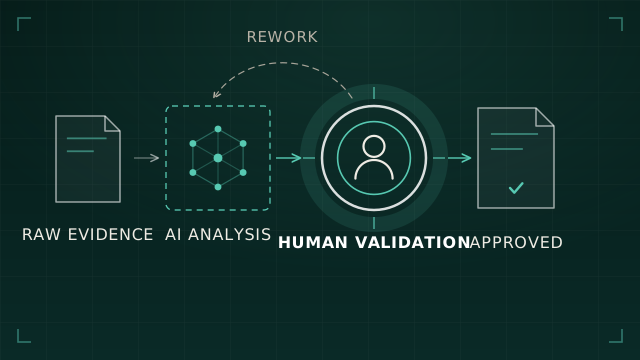
The workbench strengthens the evidence behind the decision. Accountable owners still decide what an organisation should retain, move, consolidate, archive, remediate, or delete.
That boundary matters. Discovery can identify content, relationships, access paths, activity signals, and constraints. People still provide the business context, accept the risk, and approve the outcome.
I have written separately about why file migrations fail before they start, why duplicate deletion is the wrong starting point for file rationalisation, and where AI genuinely helps in platform engineering. The file migration readiness checklist turns the migration-specific part of this method into 25 practical checks.