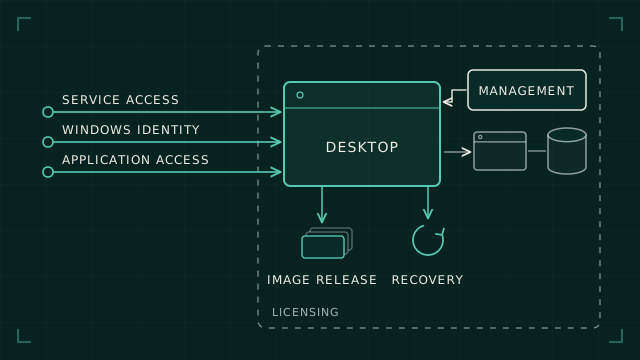
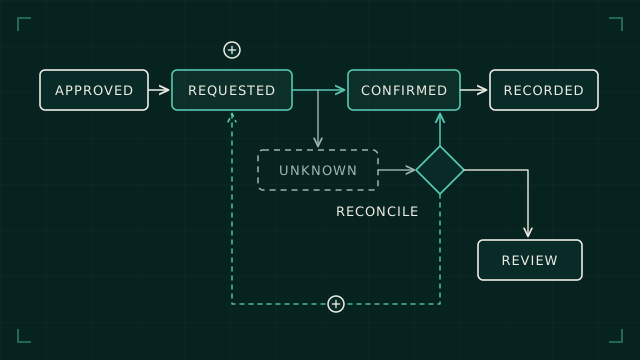
Cloud and EUC
Azure Virtual Desktop updates need a host replacement plan
Updating an Azure Virtual Desktop image changes the machines that deliver people's working sessions. The rollout needs to account for capacity, user state, validation and what happens when the replacement fails.
An image update for a pooled desktop service is easy to describe as a virtual-machine task. Create machines from the new image, register them and remove the old ones. The difficult part is preserving a usable service while those steps happen.
An Azure Virtual Desktop host can exist, pass infrastructure checks and still fail the user's first useful task. It may not mount the profile, reach an application dependency or apply the expected configuration. A replacement plan needs acceptance criteria beyond successful VM creation.
I'd start with the service transition: how a user reaches a validated host, how existing sessions are handled, and what capacity remains if part of the replacement fails. That gives the infrastructure workflow a purpose and a stopping rule.
Establish which management approach owns replacement
Microsoft offers two ways to manage host pools. With standard management, you're responsible for creating, updating and scaling session hosts yourself. Pooled host pools can instead use a session host configuration, which hands much of that lifecycle to Azure Virtual Desktop. You choose the approach when you create the host pool, and you can't change it later.
The native session host update process replaces machines using the updated configuration. It starts with one host, then proceeds in batches. It also controls user notification and sign-out during that process. It's a specific management path with its own prerequisites and limitations. You can't bolt it on to a host pool that was created with standard management.
Choose one owner for host replacement. Avoid letting an infrastructure pipeline and a native lifecycle process independently manage the same machines. Establish where intended configuration lives, which process changes it and how the resulting state is reconciled.
Before choosing the native path, check the current limitations against the design. Image placement is a good example. Microsoft's session host update documentation still says a session host configuration can't use an Azure Compute Gallery image held in a different subscription from the host pool, but its release notes say managed identities now allow cross-subscription images in the same tenant. Check the current guidance before you design around either.
Define capacity during the transition
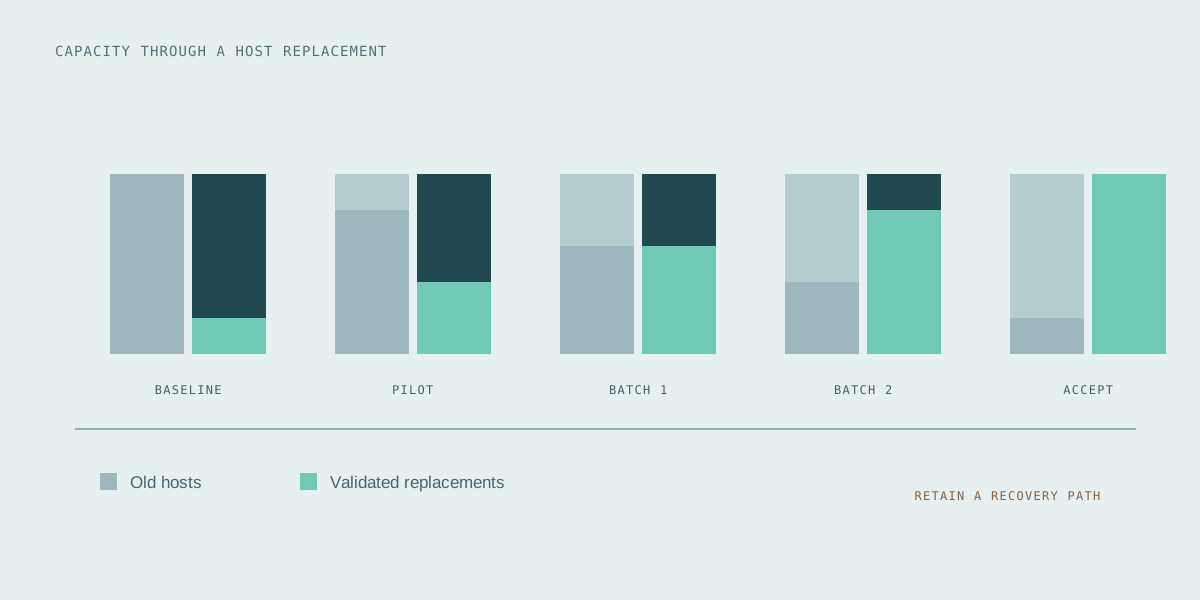
Plan for the number of hosts that can be unavailable together, not only the eventual size of the pool. A nominally adequate fleet can become inadequate while a batch is draining, rebuilding or waiting for registration.
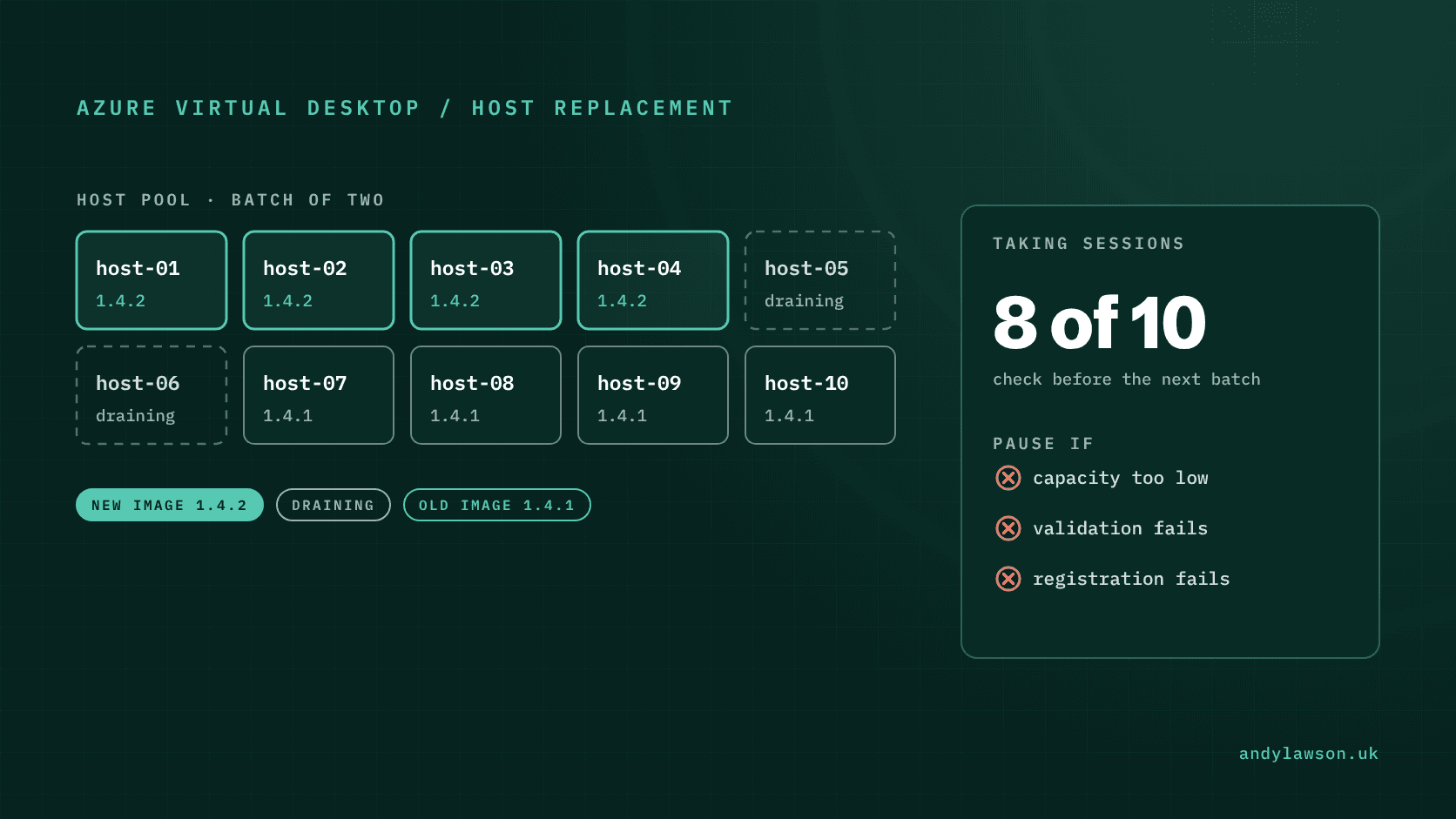
Take a ten-host pool. Replacing two hosts at a time leaves eight available, before any other fault. Whether eight is enough depends on how many concurrent users each host can genuinely carry, and that figure should come from testing, not from the original sizing estimate.
Specify what pauses the rollout: insufficient healthy capacity, a failed validation journey, a registration problem or a dependency becoming unavailable. The next batch shouldn't start merely because the previous job reached its final step.
Include resource quotas, IP address space and supporting-service limits in the preflight checks. A design that adds replacements before retiring old hosts needs room for the overlap. A design that replaces in place needs enough remaining capacity while hosts are unavailable.
Treat drain mode as a routing control
Drain mode stops a session host from accepting new user sessions. Existing connections remain active until users sign out or an administrator ends their sessions. It doesn't tell you the machine is empty and safe to delete.
Set a clear policy for the sessions that remain. Define the notice period, maintenance window, escalation route and authority to end a session. User communication is part of that policy, especially where people may have unsaved work.
In a manually controlled rollout, inspect the observed sessions before advancing to removal. If a host hasn't drained within the agreed window, record an exception and decide whether to defer it or use the authorised sign-out process. An indefinitely draining host should have an owner and a next action.
Don't confuse this manual sequence with the way the native update process handles sessions. Mixing the two up can leave an operator with the wrong idea of when sessions will end.
Validate a representative user journey
Define a short acceptance path that reflects the service: connect through the supported client, obtain the expected desktop or RemoteApp, mount the profile, open a required application and complete an ordinary task. Add reconnect and restart checks where they affect the workload.
Test with an account that's subject to the same controls and dependencies as the users it represents. A local administrator signing in directly to the VM takes a different route and can hide the very problem the test is meant to find.
Keep the checks observable. Record the image version, host, test identity type, expected result and observed result. Separate application failures from registration, identity and profile failures so that a paused rollout points towards a useful investigation.
Start with a small population and expand only after the agreed checks pass. A pilot is there to surface problems while they still only affect a few people.
Check the state that survives the host
Replacing an operating-system disk doesn't replace every part of a desktop experience. FSLogix can redirect user profiles to containers on storage, so a profile can outlive the session host that used it.
Test both a clean profile and an existing profile with representative application history. The new application version may behave differently against old settings, cached data or a profile previously opened by another version. That distinction also matters when considering a return to the previous image.
Document which state is disposable, which is persistent and which requires a separate recovery procedure. Avoid treating the old image as a complete backup of user state. Profile and application-data recovery need their own tested assumptions.
Define recovery before removing the old capacity
State what returning to service means if the pilot fails. It may involve deploying the previous approved image, restoring configuration and directing users to known-good hosts. The plan must also account for any persistent state changed during the failed release.
Don't plan on switching the old VMs back on. Microsoft's native update process deletes the original VMs once their replacements are in place. For Active Directory-joined hosts, the new VMs reuse the original hostnames and take over the existing computer objects, which breaks the trust relationship with the old machines. There's no documented rollback: if an update goes wrong, you cancel it and run another update with a corrected configuration.
Close the rollout once acceptance has been evidenced, any temporary capacity has been removed and monitoring shows the new fleet serving users. As I argued in why a desktop migration isn't finished when users move, moving the workload is a milestone. The job is done when the service can be understood, supported and recovered.